> For the complete documentation index, see [llms.txt](https://defender-bot.gitbook.io/defender-bot-whitepaper/llms.txt). Markdown versions of documentation pages are available by appending `.md` to page URLs; this page is available as [Markdown](https://defender-bot.gitbook.io/defender-bot-whitepaper/dfndr.fun-guide.md).
# Dfndr.fun Guide
🧭 How to Use **dfndr.fun**
**dfndr.fun** is a permissionless platform for launching Ethereum meme tokens in seconds - no dev skills needed. Below is a step-by-step walkthrough based on the current UI and functionality.
***
#### 🔗 Step 1: Connect Your Wallet
Visit [dfndr.fun](https://dfndr.fun/)
Click the **“Connect Wallet”** button in the top right corner.
Choose your Ethereum wallet (e.g., MetaMask) and approve the connection.
***
#### ✨ Step 2: Create Your Token
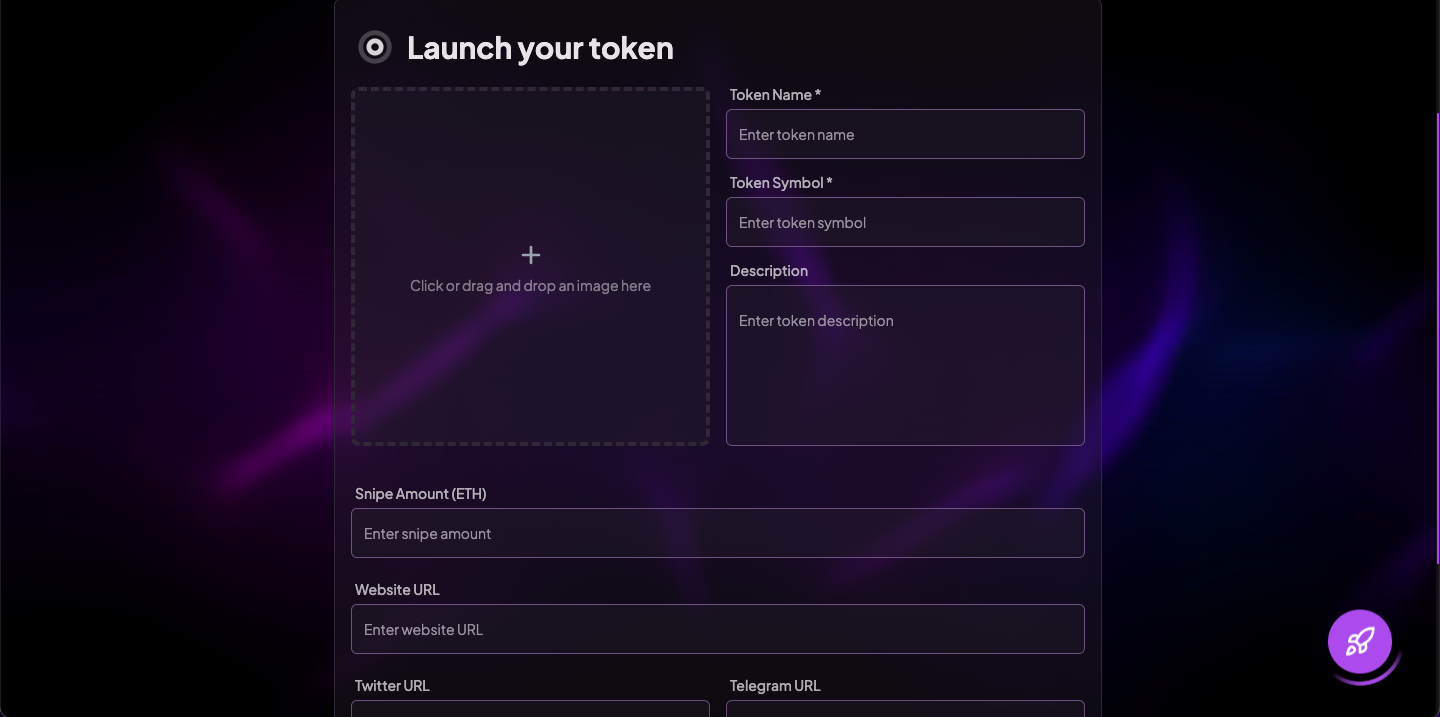
Click on **“Launch Token”** (or the **🚀 rocket icon** in the bottom right corner for quick access) to open the creation interface.
You’ll be prompted to fill in:
**Name** - Your token’s full name (e.g., *Pepe King*)
**Symbol** - Ticker symbol (e.g., *KINGPEPE*)
**Upload Image** - Upload a meme/logo that represents your token
**Description (optional)** - Write a short pitch, meme story or community slogan
**Social Links** - Add links to your project's Twitter/X, Telegram, or website
**Snipe Amount (ETH)** - amount of ETH for the first buy
***
#### 🧾 Step 3: Confirm & Pay Launch Fee
* A small ETH fee is required to deploy your token.
* Click **“Create Token”** and approve the transaction in your wallet.
The contract will be deployed automatically and your token will appear on the homepage.
***
#### 🌐 Step 4: Share Your Token
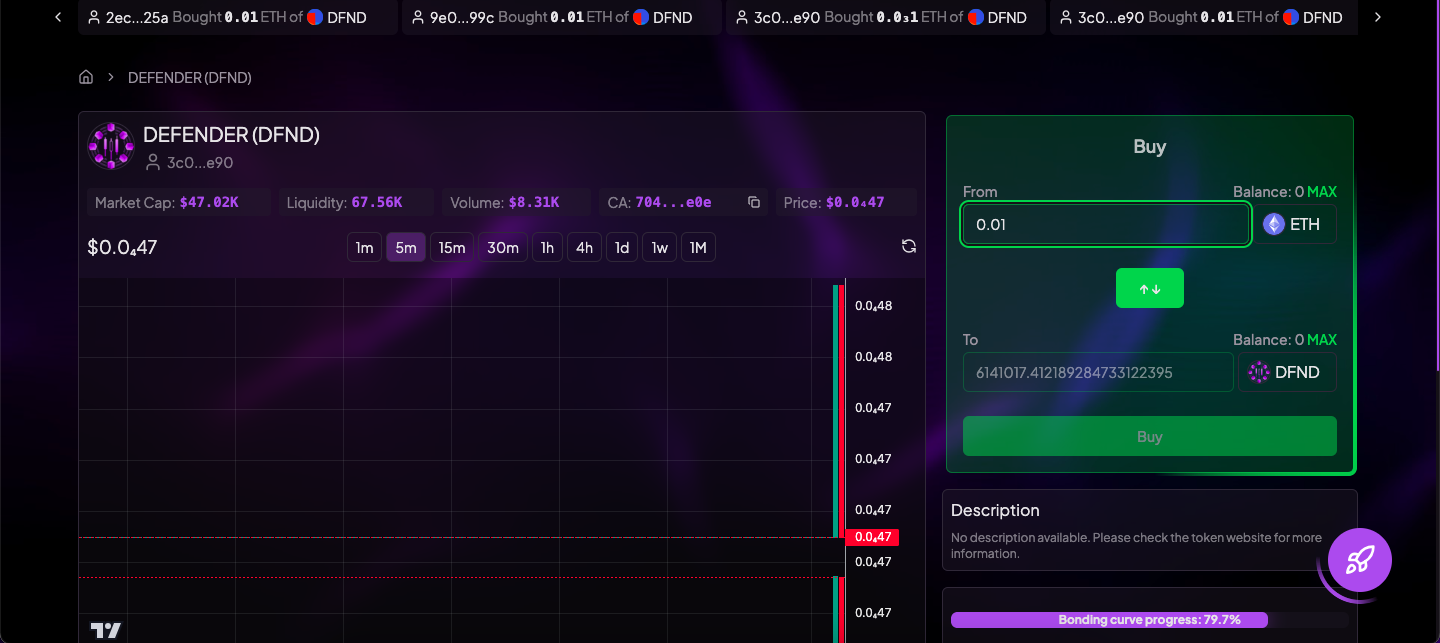
Once launched, you’ll get a dedicated page for your token including:
Token name, logo and description
Price chart and trading UI
Comments section
***
#### 🔄 Token Lifecycle & Mechanics
Each token launched on **dfndr.fun** follows a simple but powerful path designed for fairness, virality and decentralization:
1️⃣ **King of the Hill Mechanic**\
Once a token's market cap reaches **$44,250**, it becomes the new **King of the Hill**, replacing the previous top project. This status is featured on the homepage and boosts visibility.
2️⃣ **Uniswap Liquidity Burn at $59K**\
When a token’s market cap hits **$59,000**, all remaining ETH from the bonding curve is **automatically converted to Uniswap liquidity** and the liquidity tokens are **permanently burned**.\
This means:
* Trading shifts fully to Uniswap
* Liquidity becomes fully trustless and unremovable
3️⃣ **Ownership Renounced at Launch**\
Immediately after the token is deployed, **ownership is renounced** — the creator has no special powers, no backdoors, no ability to pause or change the contract.\
This ensures a fully decentralized token from the very beginning.
***
#### 💰 Buying & Selling Tokens
1. **Buy with ETH**
On any token’s page, input how much ETH you want to spend
Click **Buy** and confirm in your wallet
2. **Sell Instantly**
You can sell back your tokens through the same interface
dfndr uses Uniswap under the hood for instant liquidity
***
#### 📈 Discover New Tokens
Explore trending, newest and most-viewed tokens on the homepage
All projects are fully on-chain and community-driven
***
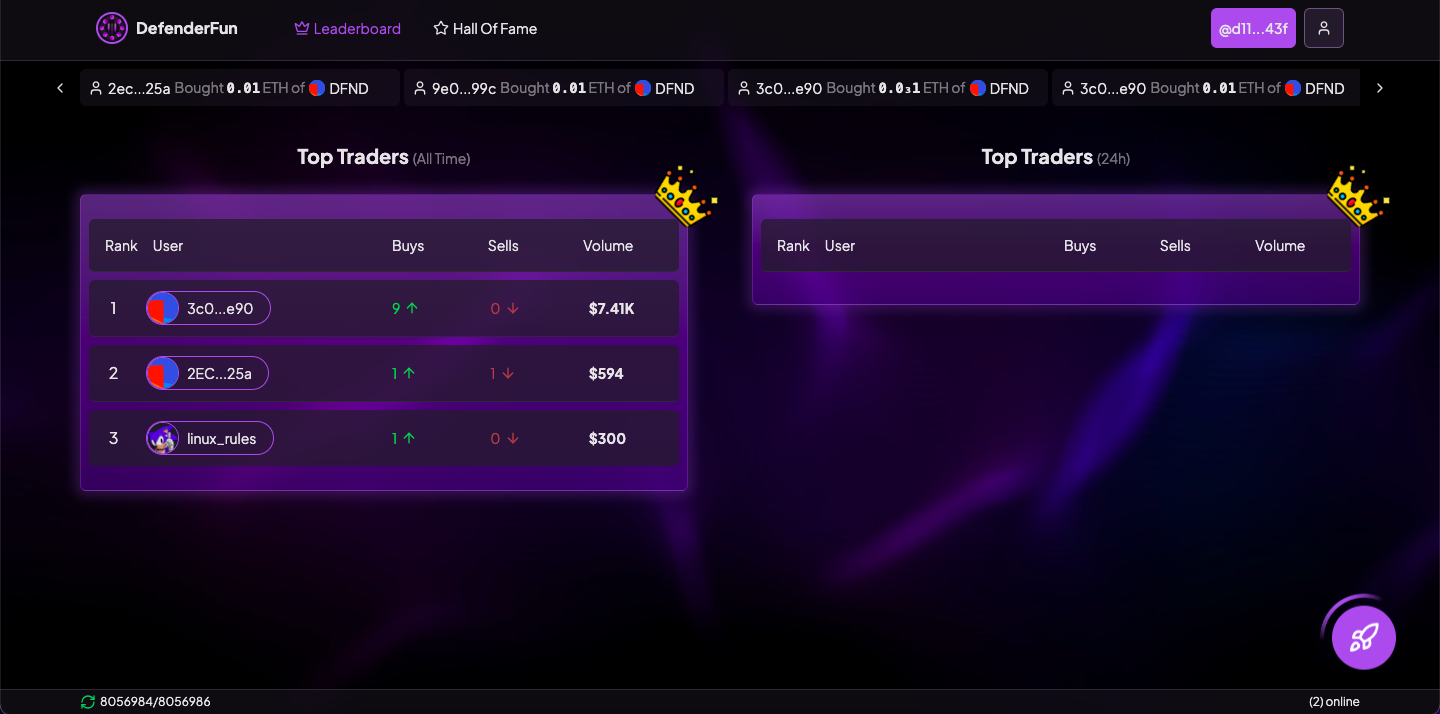
**Top Traders Leaderboard**\
Dfndr tracks the most legendary degens by volume and performance. Climb the leaderboard by making smart buys and exits across multiple tokens.
**Hall of Fame (Top Projects)**\
Tokens that reach milestones like 100% Bonding status are immortalized in the **Hall of Fame** - a showcase of the best community-driven meme coins ever launched on the platform.
***
#### 👤 User Profiles & Customization
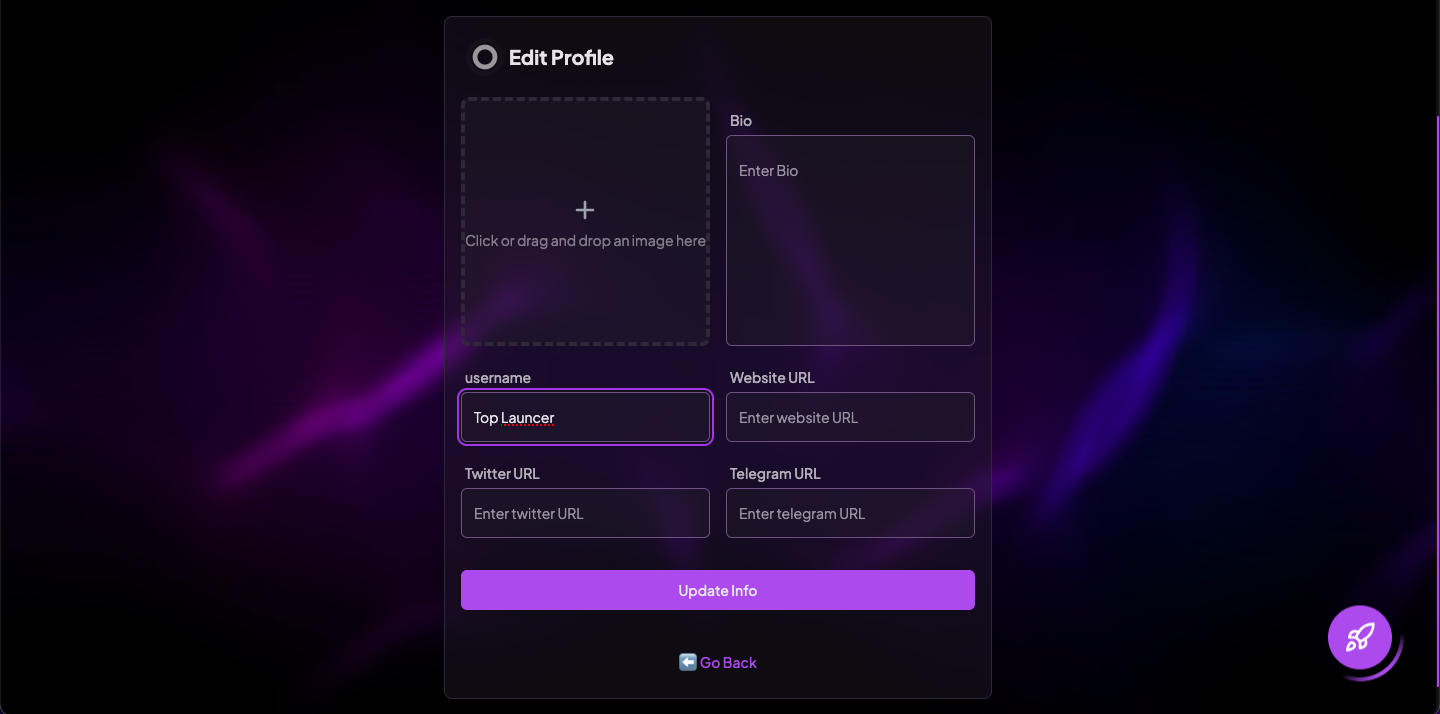
Each user on **dfndr.fun** has their own customizable profile to showcase their identity, tokens and socials.
From the profile settings page, users can:
**Upload a Profile Picture**\
Drag and drop an image or click the image box to upload an avatar or meme pic that represents your persona.
**Set a Username**\
Choose a unique username (e.g., *TopLauncher*) that appears on leaderboards, project pages and your profile.
**Write a Bio**\
Add a short description about yourself, your meme vision or community - perfect for shillers, builders and influencers alike.
**Add Social Links**\
Connect your token to your online presence:
* Twitter / X
* Telegram
* Website
**Save & Update Info**\
Click **Update Info** to apply all changes. Your profile becomes part of your public presence on dfndr.fun, visible on leaderboards, token pages and more.
***
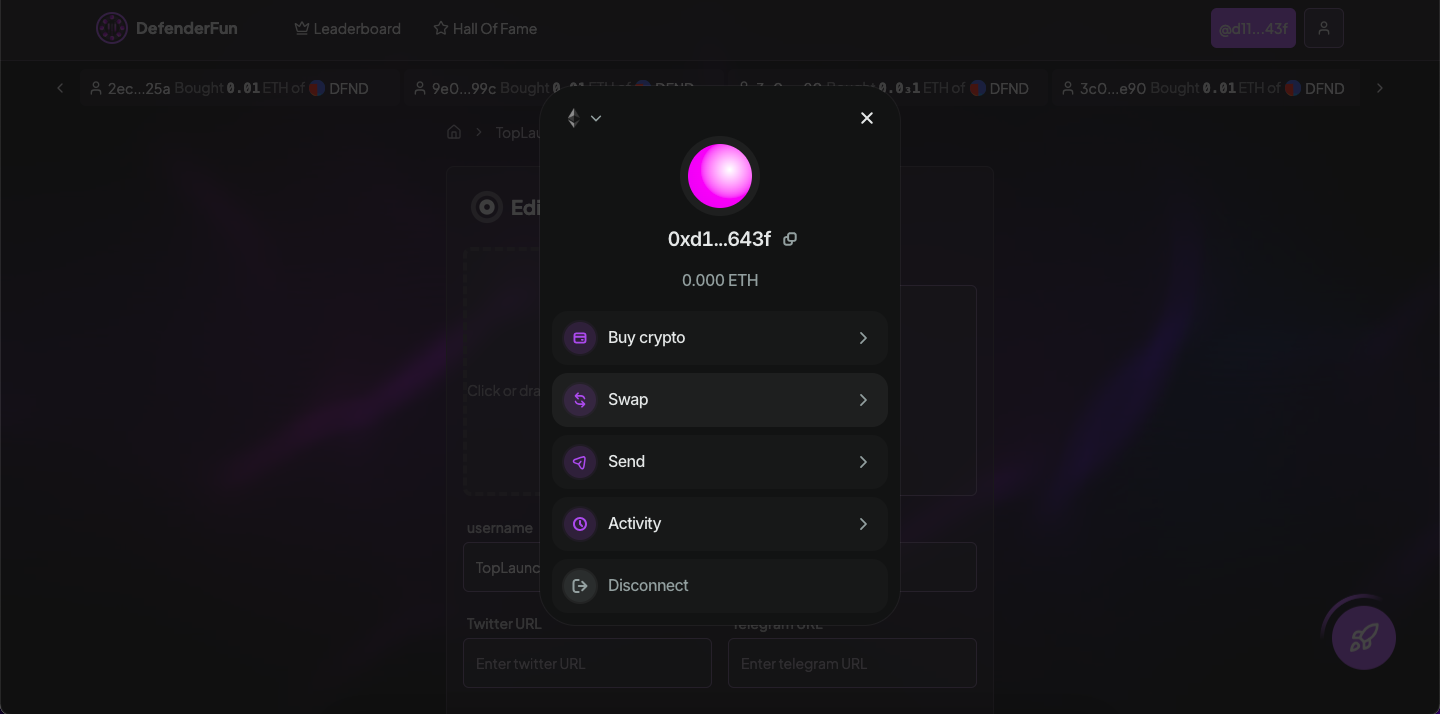
#### 💸 Built-In Wallet Actions
**dfndr.fun** integrates seamless wallet utilities directly into the platform - no need to switch tabs or rely on external tools like MetaMask or Uniswap.
From the wallet panel, users can:
* **Buy Crypto** - Instantly top up your wallet with ETH or other supported tokens
* **Swap Tokens** - Trade tokens directly within the app using integrated swap functionality
* **Send Assets** - Transfer ETH or tokens to other wallets without leaving the platform
* **Track Activity** - View your transaction history and token activity in one place
This makes launching, buying and trading tokens on dfndr.fun **as smooth and self-contained as possible**, whether you're a casual trader or meme warlord.